
This is a slide with some text in it and it really needs to be kept SHORT. Really short.




And here is an answer


This is the Page Intro Text field, and will probably be directly under the page header (if the design has one).
This is the "Row Builder" field on the Test Page.
Jump to the form styling and markup examples.
It offers more control of the presentation than the old "Matrix Builder" field, because the client is able to set the presentation of each "row block" for themselves - for example, they may want a Row: Rich Text field (like this one) that spans the full width of the design, or that is constrained to the narrow part of the design (like the next one).
"We are the catalyst for positive change."
They're also able to set the background colour of the row, and any required padding on the row. This is more flexible and less fragile than the old Matrix Builder.
We can also use Formie forms, like this one:
For the purposes of testing, this is a link, and it's been set to have an accent colour in the Presentation option.
Let's also have a look at the various button styles we can drop into a Rich Text Field like this one:
So there we go.
This is another Rich Text field immediately after the previous one, but this time we've set the Content to span a narrow area (when there's enough space on the screen), and we've set a background colour too so we can see the block padding, and how things sit on the page.
This is a pullquote, that may or may not be handy.
Here's a link too, just so we can see how that looks against the chosen background. If we don't set an Accent Colour then it'll just inherit the text colour. But here we've set an Accent Colour specifically for the field, and the CSS we've written means that "a link" is considered a thing to apply the blocks' accent colour on.
Note that a pullquote is floated left or right so it's besides the main text. If you want something like it on it's own row, you want a Block Quote.
Let's throw in an "Info Slider" just to see...

This is a slide with some text in it and it really needs to be kept SHORT. Really short.

Because slides are going to have to work at tiny mobile phone size...

...and also giant desktop size. The temptation is always to write way too much. Don't.
And that was an info slider.
You can use it as you might expect from a normal word processor or other writing application. It supports numerous heading levels, bold, italics, links, and ordered and un-ordered lists.
So just for fun, here is a link to Google, and then there follows some lists.
Here's another list:
And here's a callout, which is actually an Entry...
Testing grouping of the same Entry include...
This is some simple text.
This is another
While we (strongly) discourage tables on modern websites - because they are almost always terrible on mobile phones - we do allow you to add tables here.
| Column Header 1 | Column Header 2 | Column Header 3 | |
|---|---|---|---|
| Row Header 1 | Lorem ipsum dolor sit amet is just some pretend latin | The point of it is just to provide text for layout, and not to be read | Just so you know. |
| Row Header 2 | Here's another row | and a cell | 123 |
| Row Header 3 | More text here | and more | and more |
This is a Row: Blockquote field, and it's used for larger blocks of text that you want to appear nicely.
Matt Wilcox,
View Creative Agency

Falling somewhat out of style in the age of ChatGPT and similar, Google used to provide good search results. Try for yourself.





Lets toss in a caption here.
At EvaBuild, we deliver a full range of civil engineering and groundworks services across the UK. Whether we’re supporting modular specialists on high-security MOD sites or preparing school and healthcare sites for installation, we bring a proven track record of quality, reliability, and adaptability.
Our team is trusted by modular construction firms, local authorities, developers, and commercial operators to deliver fast, efficient, and high-standard work with minimal disruption. Everyone in our team has the required clearances and permits, so you can rest assured all EvaBuild staff working on your site are DBS cleared and carry the appropriate CSCS cards.

At EvaBuild, we deliver a full range of civil engineering and groundworks services across the UK. Whether we’re supporting modular specialists on high-security MOD sites or preparing school and healthcare sites for installation, we bring a proven track record of quality, reliability, and adaptability.
Our team is trusted by modular construction firms, local authorities, developers, and commercial operators to deliver fast, efficient, and high-standard work with minimal disruption. Everyone in our team has the required clearances and permits, so you can rest assured all EvaBuild staff working on your site are DBS cleared and carry the appropriate CSCS cards.
This is just a rich text on its own so we can test if the whole block gets rounded corners...


Compare these two dogs!
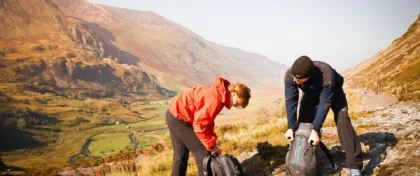
One person or two?

















This is the rich text field.
And a little more text here.
And lets make it long, so that we can see what happens with overflow etc. Lorem Ipsum is simply dummy text of the printing and typesetting industry. Lorem Ipsum has been the industry's standard dummy text ever since the 1500s, when an unknown printer took a galley of type and scrambled it to make a type specimen book. It has survived not only five centuries, but also the leap into electronic typesetting, remaining essentially unchanged. It was popularised in the 1960s with the release of Letraset sheets containing Lorem Ipsum passages, and more recently with desktop publishing software like Aldus PageMaker including versions of Lorem Ipsum.
But with some different content in it.
This is also a Text by Media block, with a different media type - this time a slider.
And here is an answer
What do you know, an answer
Yes.
This is example code for modern Google Maps JS rather than the rather archaic stuff we usually use (and is constantly warning about deprecations in the Console now)